

Server-Side Tagging for Marketers: What It Is and When You Actually Need It
Server-side tagging moves tracking from the browser to your own server, bypassing ad blockers, improving data quality, and reducing privacy risk. Here is when it is worth the implementation complexity -- and when client-side tracking is still fine.
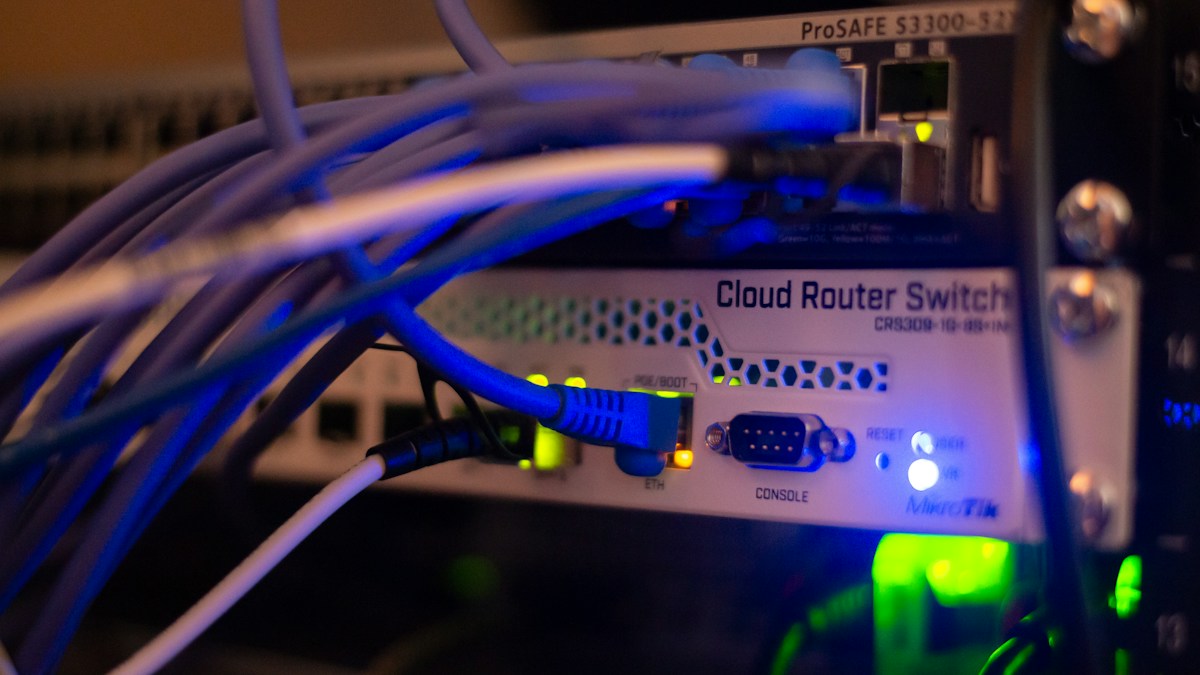
Server-side tagging means moving your tracking and analytics scripts from the visitor's browser to a server you control. Instead of a Google Analytics tag loading in the browser (where ad blockers can block it), your website sends raw event data to your own server endpoint, which then forwards it to GA4, Meta, and other tools. The result is more complete data, better privacy compliance, and faster page load times.
Key takeaways
- Server-side tagging does not replace client-side tracking for everything -- it is best used for conversion events, ad platform signals, and data where accuracy is highest priority
- The primary benefits are: bypassing ad blockers (recovering 15-40% of lost conversion signals), improved GDPR compliance, better data for AI bidding algorithms, and faster page loads from fewer browser scripts
- Google Tag Manager server-side is the most common implementation path; it requires a server container on Google Cloud (typically $5-50/month)
- 73% of enterprise marketing and data leaders cite data quality as their #1 barrier to AI success -- server-side tagging directly addresses this for ad signal data
- For B2B SaaS companies: Meta Conversions API (CAPI) is the highest-ROI first step; full GTM server-side implementation is justified when you are running $50,000+/month in paid media
Client-Side vs. Server-Side Tagging: What Actually Changes
In standard client-side tracking, every analytics and ad pixel script loads in the visitor's browser. When a purchase happens, the browser sends data to Google Analytics, Meta, Google Ads, LinkedIn Insight Tag, and any other active pixels simultaneously. Each of these is a separate HTTP request from the visitor's device.
This architecture has three problems in 2026:
Ad blockers remove the signals. Browser extensions like uBlock Origin, Privacy Badger, and built-in browser privacy modes block known tracking domains. Meta's pixel domain, Google Tag Manager, and LinkedIn's Insight Tag are all blocklisted by most popular ad blockers. Estimates vary, but 15-40% of web users in B2B tech audiences use ad blockers -- meaning a significant portion of your conversion events are simply not firing.
Privacy regulation limits what you can send. GDPR, ePrivacy, and CCPA require consent before setting cookies or sending personal data to third parties. Client-side pixels fire in the browser, which means they are sending data from the user's device -- triggering consent requirements. Server-side tagging allows you to hash and anonymise user data before sending it to ad platforms, which reduces (though does not eliminate) consent obligations.
Page performance suffers. Loading five to ten tracking scripts in the browser adds 100-500ms to page load time depending on connection speed and device. Page speed directly affects SEO rankings and conversion rates -- every 100ms of latency correlates with measurable bounce rate increases.
Server-side tagging addresses all three: the server fires the tags (so browser ad blockers cannot block them), the server can process and hash data before forwarding (reducing privacy exposure), and the browser loads fewer scripts (improving performance).
Why Data Quality Is the Real Argument for Server-Side
The most compelling business case for server-side tagging in 2026 is not privacy compliance -- it is data quality for AI bidding.
A 2025 Gartner survey found that 73% of enterprise marketing and data leaders rank data quality as the single biggest barrier to AI success in their organisations -- above model accuracy and compute costs. In paid advertising, AI bidding algorithms (Google's Smart Bidding, Meta's Advantage+ AI, LinkedIn's predictive bidding) are trained on conversion signals. If those signals are incomplete because 30% of conversions are blocked by ad blockers, the algorithm learns from a biased dataset and optimises for the wrong audience.
The ICP problem this creates: a B2B SaaS team using Google Smart Bidding to optimise for demo requests sees the algorithm miss their best-converting audience segment (enterprise buyers who use corporate VPNs and privacy browsers) because those buyers' conversion events never reach Google's training data. The algorithm then underbids for future queries from those users.
Server-side tagging recovers those conversion signals, sending them to ad platforms through a server-to-server connection that bypasses browser restrictions. For teams running AI-optimised campaigns -- which increasingly means all campaigns -- cleaner conversion data translates directly into better bidding and better campaign performance.
Prooflytics flags this pattern when ad platform conversion data and CRM data diverge significantly: "Your Google Ads reports 45 demo conversions for this period; your CRM shows 62. The 27% gap is likely ad blocker signal loss. Server-side CAPI or GTM server container would recover most of this."
How Google Tag Manager Server-Side Works
GTM server-side is currently the most common implementation path for teams already using Google Tag Manager for client-side tracking.
The setup has three components:
1. A server container on Google Cloud Run. GTM spins up a containerised server (hosted on Google Cloud) that receives event data. This costs $5-50/month for typical B2B SaaS traffic volumes. You control the server container and its data.
2. A first-party proxy domain. Instead of loading GA4 and other scripts from google-analytics.com (which ad blockers block), your website loads the GTM server container from a subdomain on your own domain (e.g., metrics.yourdomain.com). Ad blockers cannot block your own subdomain.
3. Server-side tags. Within the server container, you configure server-side tags for GA4, Meta CAPI, Google Ads, and other destinations. When your website sends an event to the server container, the container processes the event and forwards it to all configured destinations simultaneously.
The browser-side implementation is a lightweight first-party script that captures user interactions (page views, clicks, form submissions) and sends them to your server container. The server container handles all the complex ad platform integrations.
Meta caps range from 2-4 impressions per week for awareness to 5 per 7 days for retargeting, while LinkedIn B2B campaigns target 5-8 per month -- see Ad Frequency Capping: How to Set Thresholds Before Creative Fatigue Hits for the full breakdown by campaign objective.
Overlapping ad sets bidding for the same people inflate CPM by an estimated 18-25% on that inventory alone -- Meta Ads Audience Overlap covers how to check overlap thresholds and fix it without new budget.
GA4 estimates conversions for consent-declined users by applying behavioral patterns from consenting users, and that modeled estimate never reconciles exactly with an ad platform's own reported number -- GA4 Modeled Conversions Explained covers why chasing an exact match wastes a cycle and what to track instead.
Make the call with the whole picture
Briefs are daily; the understanding compounds.
14 days free · no credit card
Meta Conversions API: The Highest-ROI First Step
For most B2B SaaS teams, a full GTM server-side implementation is more complex than they need to start with. The highest-ROI first step is Meta Conversions API (CAPI), which recovers iOS 14+ signal loss specifically for Meta advertising.
Meta's 2026 one-click CAPI setup (available in Ads Manager under Events Manager) connects your website's conversion events directly to Meta via a server-to-server API, without requiring a full GTM server container. For teams spending $10,000+/month on Meta, CAPI typically improves reported ROAS by 15-25% simply by recovering the conversions that iOS devices were hiding.
The Meta Conversions API setup guide covers the one-click setup process in detail. Once CAPI is running, you can evaluate whether a full GTM server container is worth the additional investment.
When Server-Side Tagging Is Worth the Investment
Server-side tagging adds implementation complexity. The right answer for whether to implement it depends on your situation:
Implement server-side tagging if:
- You are running $50,000+/month in paid media and need accurate conversion signals for AI bidding
- You operate in the EU and need to reduce GDPR consent friction for analytics
- Your audience has high ad blocker adoption (tech, developer, privacy-conscious B2B personas)
- Page performance is a conversion or SEO concern and your browser tag count has grown to 8+
Client-side tracking is still fine if:
- You are in early stages of paid advertising (under $10,000/month) where signal quality differences are smaller than optimisation decisions
- Your ICP is not particularly ad blocker-heavy (some B2B verticals have much lower ad blocker rates than tech)
- You do not yet have developer resources for GTM server container setup
For B2B SaaS companies in the tech sector: a reasonable framework is to implement Meta CAPI first (highest-ROI, lowest complexity), then layer in GTM server-side once you have crossed the $50,000/month paid media threshold and have engineering bandwidth.
Implementation Trade-offs to Know Before You Start
Server-side tagging is not a one-and-done setup. Three trade-offs to evaluate:
Cost. Google Cloud Run hosting for a GTM server container typically costs $5-50/month for B2B SaaS traffic volumes. At high scale (millions of events), cost can increase. This is usually negligible compared to ad spend, but it is a recurring infrastructure cost.
First-party cookie lifetime. One major benefit of server-side tagging is setting analytics cookies from your own domain (first-party) rather than google-analytics.com (third-party). This extends cookie lifetime from 7 days (ITP limit on Safari for third-party cookies) to up to 2 years. For B2B teams with long sales cycles, this dramatically improves cross-session attribution accuracy.
Maintenance overhead. Server containers require updates when ad platforms change their APIs. A team without dedicated web analytics or engineering resource should factor in 2-4 hours of maintenance per quarter.
For teams managing this without dedicated engineering, Cometly and similar server-side attribution tools offer managed server-side tracking as a service -- see the Prooflytics vs. Cometly comparison for how server-side attribution tools compare to marketing intelligence platforms.
Frequently asked questions
What is the difference between server-side tagging and client-side tagging? Client-side tagging loads analytics and ad pixel scripts in the visitor's browser. Server-side tagging sends event data from your website to a server you control, which then forwards it to analytics and ad platforms. Server-side bypasses browser ad blockers, improves privacy compliance, and reduces page load impact from multiple tracking scripts.
Does server-side tagging bypass GDPR requirements? Partially. GDPR requires consent for processing personal data regardless of whether it happens in the browser or on a server. Server-side tagging helps by allowing you to hash or anonymise user identifiers before sending them to third-party platforms, which reduces (but does not eliminate) the personal data classification. Consult your legal team -- the exact GDPR implications depend on your specific implementation and data flows.
How much does Google Tag Manager server-side cost? The GTM server container software is free; you pay for the hosting infrastructure. On Google Cloud Run, a typical B2B SaaS website processing 100,000-500,000 events per month costs $5-20/month. High-traffic ecommerce sites processing millions of events daily can reach $50-200/month. Most B2B SaaS companies fall in the $5-30/month range.
Is Meta Conversions API (CAPI) the same as server-side tagging? Meta CAPI is a specific server-side implementation for Meta advertising. It sends conversion events directly from your server to Meta's API, bypassing the browser pixel. It is one piece of a full server-side tagging setup (which would also cover GA4, Google Ads, LinkedIn, etc.) but can be implemented independently via Meta's one-click setup without a GTM server container.
When should B2B SaaS companies implement server-side tagging? The highest-ROI entry point is Meta CAPI, which recovers iOS signal loss for Meta advertising with minimal complexity. Full GTM server-side implementation becomes justified at $50,000+/month in paid media spend, when you are operating in EU markets with GDPR compliance pressure, or when your audience has high ad blocker adoption (common in tech-focused B2B markets).
Bottom line
Server-side tagging is a measurement infrastructure investment, not a marketing tactic. It solves the data quality problem that makes AI bidding underperform, the privacy compliance problem that limits data collection in EU markets, and the page performance problem that comes from loading too many browser scripts.
For most B2B SaaS teams, the right sequencing is: implement Meta CAPI first (hours, not weeks), evaluate the signal recovery improvement, then decide whether a full GTM server container is worth the additional investment. That two-step approach gets 70% of the benefit at 20% of the complexity.
If improving data accuracy is a priority for your team's first-party data strategy, server-side tagging is the infrastructure layer that makes everything else more reliable.
See how Prooflytics surfaces conversion signal quality issues in the daily marketing briefing -- read reviews on G2.
Make the call with the whole picture
Briefs are daily; the understanding compounds.
14 days free · no credit card
Continue reading

Server-Side Google Tag Manager: The Setup Mistakes That Break Tracking Silently
A server-side GTM container fixes real signal-loss problems, but a broken setup fails quietly - dashboards keep showing numbers, they are just wrong ones. Here are the mistakes that cause that, and how to actually verify a server container is working.

First-Party Data Attribution for EU Fintech: The Practical Setup Guide
EU fintech companies lose 30-60% of attribution signal when users decline cookie consent. This guide covers the exact first-party stack to fix it: server-side UTM capture, email-hash identity stitching, and cookieless pixel mode - without touching GDPR compliance.

Enhanced Conversions for Google Ads: How First-Party Tracking Restores Attribution
Third-party cookie degradation causes Google Ads to undercount conversions, inflating CPL and misleading Smart Bidding. Enhanced Conversions replaces cookie-based tracking with hashed first-party signals from your own domain. Here is how it works and the four components you need to configure.

First-Party Data Strategy for B2B Marketing in 2026
70% of B2B marketers plan to increase first-party data use in 2026, driven by platform tracking restrictions and the deprecation of reliable third-party signals. For B2B SaaS teams, first-party data strategy differs significantly from B2C and ecommerce: your data points are account-level, your sales cycle is measured in weeks, and your conversion events are rarely single-session. This guide covers what to collect, how to activate it, and how to close the measurement loop.