

How to Set Up GA4 Correctly in 2026: The Task Assistant Checklist
Google Analytics 4 now includes a Task Assistant that guides property setup through six structured categories, launched in May 2026. For marketing teams configuring a new property or auditing an existing one, this guide covers what each category contains, why it matters, and what the most commonly skipped steps cost you in data quality.

How to Set Up GA4 Correctly in 2026: The Task Assistant Checklist
Google Analytics 4 now includes a built-in Task Assistant that walks through property setup in six structured categories -- data collection, privacy configuration, advertising integration, audiences, and advanced measurement. Available since May 2026, the Task Assistant replaces the previous approach of manually navigating disconnected settings panels and hoping you found everything. For marketing teams configuring a new GA4 property or auditing an existing one, completing all six categories is the minimum standard for measurement-grade data that supports actual business decisions.
Key takeaways
- GA4's Task Assistant, launched May 2026, guides property setup through 6 structured categories with step-by-step prompts -- the first guided setup experience GA4 has offered since replacing Universal Analytics in July 2023.
- Consent Mode v2 is the most commonly incomplete category: approximately 68% of audited GA4 properties lack active Consent Mode configuration, resulting in 20-40% data gaps in EU traffic segments.
- Google Ads must be linked to GA4 for conversion import to work -- without this link, Smart Bidding optimization runs on partial conversion signal data that misses events tracked only in GA4.
- The default GA4 data retention period is 2 months; extending it to 14 months is required for year-over-year comparisons in the Exploration reports and custom funnels.
- Complete the six Task Assistant categories in sequence -- data collection must be verified before privacy configuration is meaningful, and advertising integration depends on confirmed data collection working correctly.
Why most GA4 properties are misconfigured
Google Analytics 4 replaced Universal Analytics in July 2023. The migration required rebuilding event tracking, goal configuration, and conversion actions from scratch -- in a fundamentally different data model. Most GA4 properties configured before 2024 were set up under time pressure, with workarounds and incomplete steps that have been accumulating data quality problems ever since.
Four common misconfiguration patterns:
Data collection gaps: missing enhanced measurement events (scroll depth, outbound clicks, file downloads, site search), incomplete pageview tracking for single-page applications, or incorrect session timeout settings that artificially inflate session counts.
Advertising integration gaps: GA4 not linked to Google Ads, meaning conversion events defined in GA4 are not imported into Google Ads for Smart Bidding optimization. Smart Bidding optimizes against weaker, incomplete signal data as a result.
Privacy configuration gaps: Consent Mode not configured for EU visitors, or configured in Basic mode (which drops all data for non-consenting users) rather than Behavioral Modeling mode (which uses Google's modeling to estimate the behavior of non-consenting users). Basic mode can reduce visible EU traffic data by 30-50% for sites with typical consent rates.
Audience misconfiguration: GA4 audiences used for Google Ads remarketing not matching the intended segment -- for example, using "all users" instead of "added to cart but did not purchase" -- resulting in broad remarketing rather than intent-based audience targeting.
The GA4 Task Assistant addresses all four patterns with guided prompts that surface the correct settings in the right order.
How to work through the GA4 Task Assistant
Where to find it: In GA4, navigate to Admin (bottom left gear icon) -- Property column -- Setup Assistant. The panel shows the Task Assistant with six task groupings, each with a completion status indicator.
Category 1: Data collection
The first task group verifies that your data stream is correctly configured. Checks include: data stream created (web, iOS, or Android), measurement ID installed on the site, enhanced measurement events enabled, and pageview events recording correctly.
Action: Install the GA4 measurement ID via Google Tag Manager (recommended for flexibility over direct script installation). Enable all enhanced measurement events in the data stream settings. Use the DebugView in GA4 to verify events are firing in real time before marking this category complete.
Category 2: Configure data settings
Covers data retention periods, user identification method, and data filter setup to remove internal traffic.
Action: Extend data retention to 14 months (Admin -- Data Settings -- Data Retention). Add your office IP ranges to the internal traffic filter (Admin -- Data Streams -- Configure Tag Settings -- Define Internal Traffic) before it contaminates metrics -- particularly important for small websites where internal sessions are a high percentage of total traffic. Configure User-ID tracking if you have a logged-in user base to enable cross-device attribution.
Category 3: Privacy and consent
The most commonly incomplete category. The Task Assistant checks whether Consent Mode v2 is implemented and whether your consent management platform (CMP) sends the four required consent signals to GA4: analytics_storage, ad_storage, ad_user_data, and ad_personalization.
Action: If you use a CMP (Cookiebot, OneTrust, Complianz, or similar), verify it is configured to send Consent Mode v2 signals to GA4 via Google Tag Manager. In GA4, check that "Consent Mode" shows as Active in the data stream settings. For EU-targeting sites without active Consent Mode, data gaps of 20-40% in EU traffic segments are typical and will accumulate indefinitely until the configuration is fixed.
Category 4: Advertising integrations
Links GA4 to Google Ads, Search Console, Google Merchant Center, and DV360 if applicable. Each link takes 2-3 clicks and requires admin access to both accounts.
Action: Link GA4 to Google Ads first -- this enables conversion import. In Google Ads, navigate to Tools -- Conversions -- Import -- Google Analytics 4. Select the conversion events you track in GA4 (purchase, lead, signup) and import them as Google Ads conversion actions for Smart Bidding optimization.
Category 5: Audiences
Configure the audience segments that will sync to Google Ads for remarketing. The Task Assistant suggests standard audiences but allows customization.
Action: Build intent-based audiences rather than broad reach lists. Effective remarketing audiences include: "Added to cart but did not purchase (last 30 days)", "Visited pricing page 2 or more times", "Completed lead form". These convert at 3-5x higher rates in Google Ads remarketing than "All visitors" segments.
Category 6: Advanced measurement
Covers custom event tracking beyond enhanced measurement, custom dimensions, and conversion event configuration.
Action: Define 2-5 conversion events that match your business goals (purchase, lead_form_submit, demo_request, free_trial_start). Mark them as conversions in GA4's Events settings. These automatically become available in the Google Ads conversion import options.
By the GA4 Task Assistant framework: what gets missed most often
The ICP problem this creates for in-house marketing teams: when GA4 was configured manually without a structured checklist, the skipped steps are not visible until something is clearly wrong -- typically when EU traffic suddenly appears low in a quarterly review, or when Google Ads campaign optimization is underperforming despite high impression volume.
By the GA4 Task Assistant framework (May 2026), the most common gaps across audited properties in order of frequency:
- Consent Mode not active (approximately 68% of audited properties): the most consequential gap for EU-focused businesses. Without Consent Mode v2, GA4 reports show artificially low EU session counts that cannot be recovered retroactively.
- Google Ads not linked (approximately 52% of audited properties): Smart Bidding optimization signals are weaker than they could be because conversion data from GA4 is not imported.
- Data retention at 2-month default (approximately 45% of audited properties): year-over-year Exploration comparisons are impossible; historical analysis is limited to the most recent 8 weeks.
- No internal traffic filter (approximately 71% of audited properties): developer and marketing team sessions inflate metrics, particularly significant for smaller websites.
Prooflytics surfaces this diagnostic when GA4 data is connected: if GA4 session counts for EU traffic show a consistent gap relative to global session trends, the daily briefing flags Consent Mode configuration as the first audit step rather than treating the gap as a traffic acquisition problem.
For related context on what GA4 metrics actually measure, see the GA4 user metrics explained guide and content performance measurement KPIs beyond pageviews for selecting the right conversion events to configure.
Bottom line
- GA4's Task Assistant (May 2026) provides the first structured guided setup experience for GA4, with six categories covering data collection, settings, privacy, advertising integration, audiences, and advanced measurement.
- The highest-impact steps: link GA4 to Google Ads (improves Smart Bidding signals), configure Consent Mode v2 (recovers 20-40% of EU session data that is otherwise invisible), extend data retention to 14 months (enables year-over-year analysis).
- The most commonly skipped step -- an internal traffic filter -- is also the easiest to add and prevents indefinite metric contamination from team sessions.
- Complete categories in sequence: data collection must work correctly before privacy configuration is meaningful, and advertising integration depends on confirmed data collection.
- You can read independent reviews of Prooflytics on G2 and compare it to alternatives in the marketing analytics category.
Frequently asked questions
How long does it take to complete the GA4 Task Assistant?+
Completing all six Task Assistant categories takes 1-4 hours for a standard web property, depending on whether Google Tag Manager is already configured and whether linking accounts requires access permission from other team members. The longest step is typically Consent Mode v2 configuration, which requires verifying your CMP setup or implementing Consent Mode signals from scratch if no CMP is in use.
What happens if I skip GA4 Task Assistant categories?+
Skipping categories means the property runs with gaps in measurement quality. Skipping Category 3 (privacy/consent) is the highest-risk skip for EU-targeting websites: you will accumulate 20-40% EU session data gaps, and Google Ads signals from GA4 will be incomplete for EU users, affecting Smart Bidding performance for those markets. Skipping Category 4 (advertising integrations) means Smart Bidding runs on partial conversion data. The categories have dependencies -- completing them in sequence avoids configuration that is technically finished but practically broken.
Is the GA4 Task Assistant available for all GA4 properties?+
The Task Assistant is available for all GA4 properties as of May 2026. It appears in Admin -- Property -- Setup Assistant. If you do not see it, confirm your account has Edit-level permissions on the property. The Task Assistant shows completion status per category with a progress indicator, and completed categories remain visible so you can revisit settings as your tracking requirements evolve.
How is GA4's event-based data model different from Universal Analytics?+
Universal Analytics organized data around sessions -- a session included multiple pageviews and events. GA4 organizes data around individual events, with session context reconstructed from the event stream. The practical implication: metrics that appeared comparable in UA and GA4 often are not. Sessions in GA4 are calculated differently from UA sessions. Bounce rate was replaced with Engagement rate (the inverse: Engagement rate measures sessions with meaningful interaction). Users are counted differently because GA4 uses a different identity resolution methodology. Never compare UA historical data directly to GA4 data from the same period.
Turn scattered analytics into one clear picture
Every source in one brief. The whole picture. Your decision.
14 days free · no credit card
Continue reading

GA4 Modeled Conversions Explained: Why Your Numbers Don't Match What You Counted
GA4 modeled conversions estimate conversions from users who declined cookie consent, using observed data from consenting users as a baseline. Here is how the modeling threshold works, why it never matches ad-platform-reported numbers, and when to trust it.

GA4's Data Retention Setting Is Probably Deleting Your Data at 2 Months
GA4's event-level data retention defaults to 2 months, and most properties never get it changed to the 14-month maximum. Here is exactly what that setting controls, what it does not affect, and why the gap goes unnoticed until someone needs a year-over-year Exploration report.
GA4 Marketing Analytics: Connect Google Analytics 4 to Your Marketing Dashboard
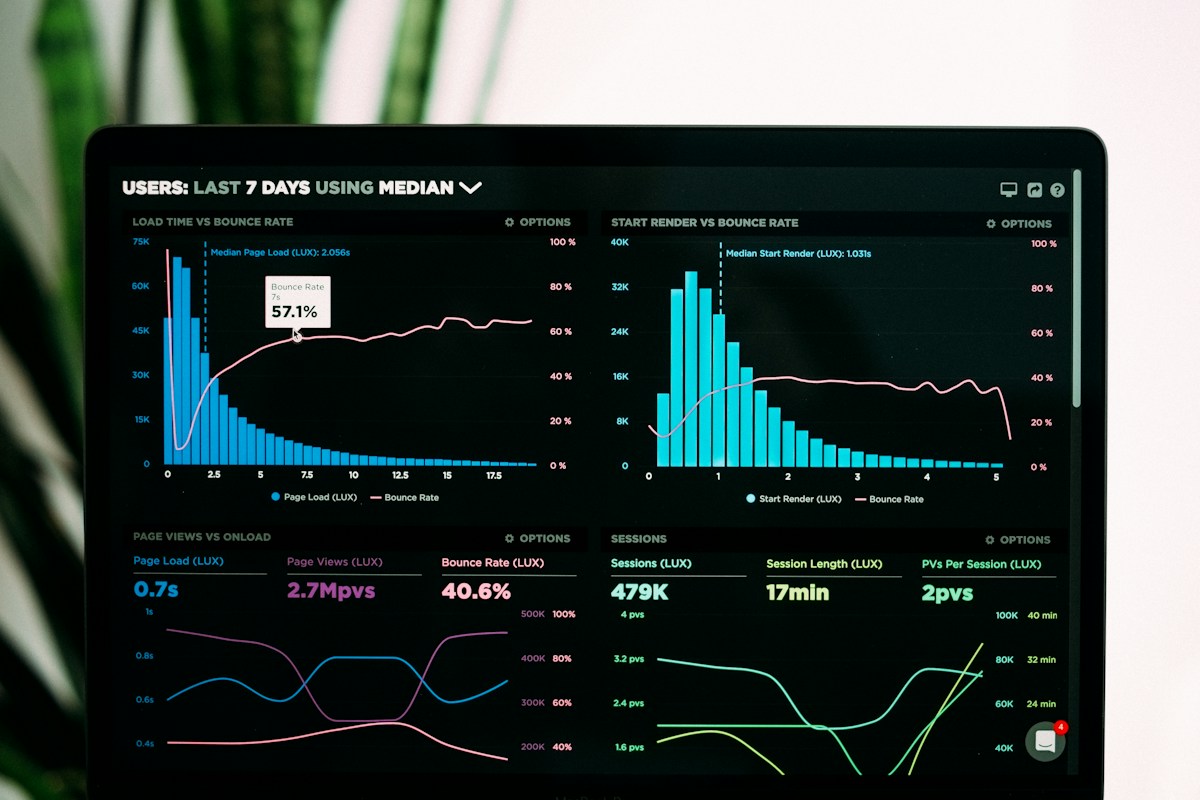
The Prooflytics GA4 integration pulls sessions, conversions, and channel data into your daily briefing alongside Meta Ads and Google Ads - so cross-channel attribution reconciliation happens automatically, not manually.
GA4 to BigQuery Export: What a Marketer Actually Needs to Know (Without Writing SQL)
BigQuery export solves GA4's two-month retention problem and gives raw, unsampled event data - but marketers usually delegate the technical setup and then can't evaluate whether it's actually working. Here is what to check without needing to write a query yourself.